

🏆📻🎯 Contests
Contests are a special operating mode of the program, as the name suggests — designed specifically for contest operation 😉
The program supports multiple Logbooks, but there is an additional top-level distinction between regular Logbooks and contest Logbooks.
When you enable contest mode, a new Logbook is created specifically for that contest.
After the contest ends, you can decide whether to return to the previous regular Logbook and whether to merge the contest logs into it.
Time to start the contest.
Open the configuration window and, in the Logbook tab, select the Logbook type: Contest.

You can select an existing contest from the Logbook Name list, or create a New contest.
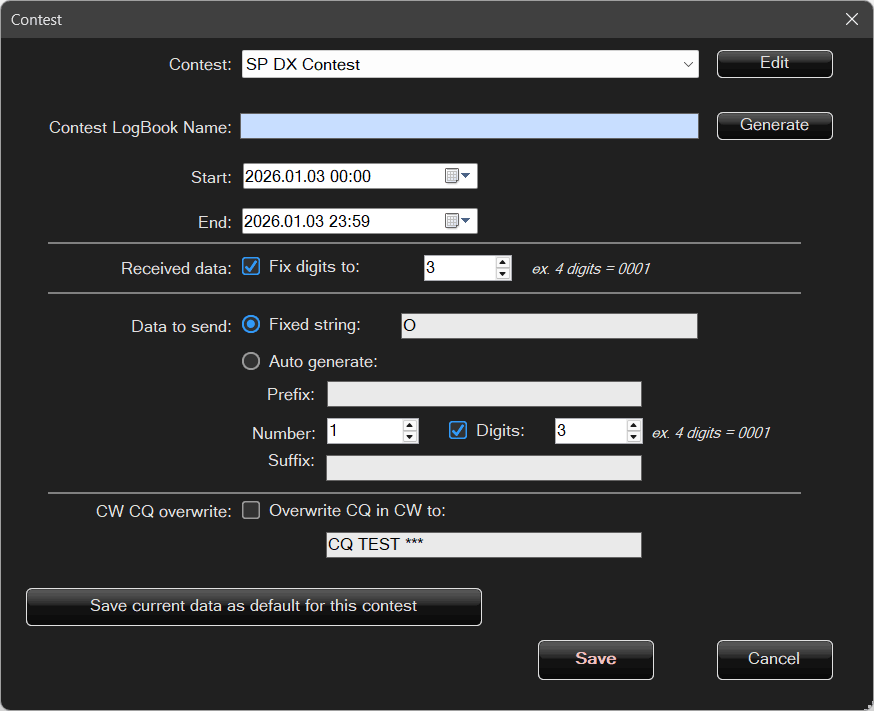
You are provided with a list of contests that can be edited, and you can also create your own new contests.
Logbook name – here you can use the helper by clicking Generate.
During contests, operators exchange specific contest information.
This can be a sequential QSO number or a fixed value, such as a zone.
Received data
If the received data is a number and an ordered format is required — for example, the number must be four digits long — enabling Pad digits to: will cause a value such as 12 to be automatically padded with leading zeros to the required length, e.g. 0012.
Data to be sent
This can be a fixed string that never changes, for example a single digit, letter, or text — in this case the same value will be logged for every QSO.
It is also possible to generate a number automatically, which is a slightly more advanced option.
- Prefix – a fixed string at the beginning, e.g.
AA - Then a number, optionally padded to a fixed length, e.g.
001 - Suffix – a fixed string at the end, e.g.
XX
This results in automatically generated exchanges for consecutive QSOs, such as:AA001XX, AA002XX, AA003XX, and so on.
Using this mechanism, it is possible to meet the requirements of all contest programs.
Once the contest configuration is confirmed, the main Logbook window will look slightly different:
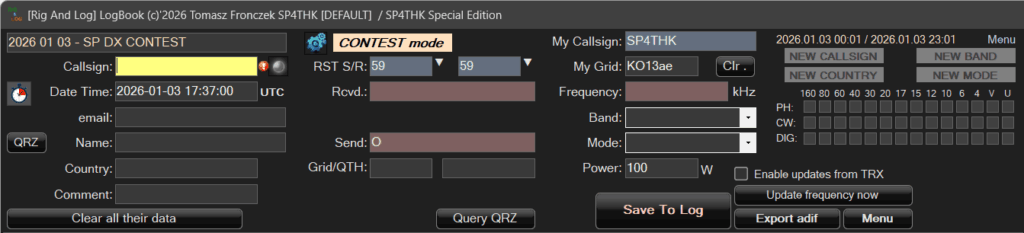
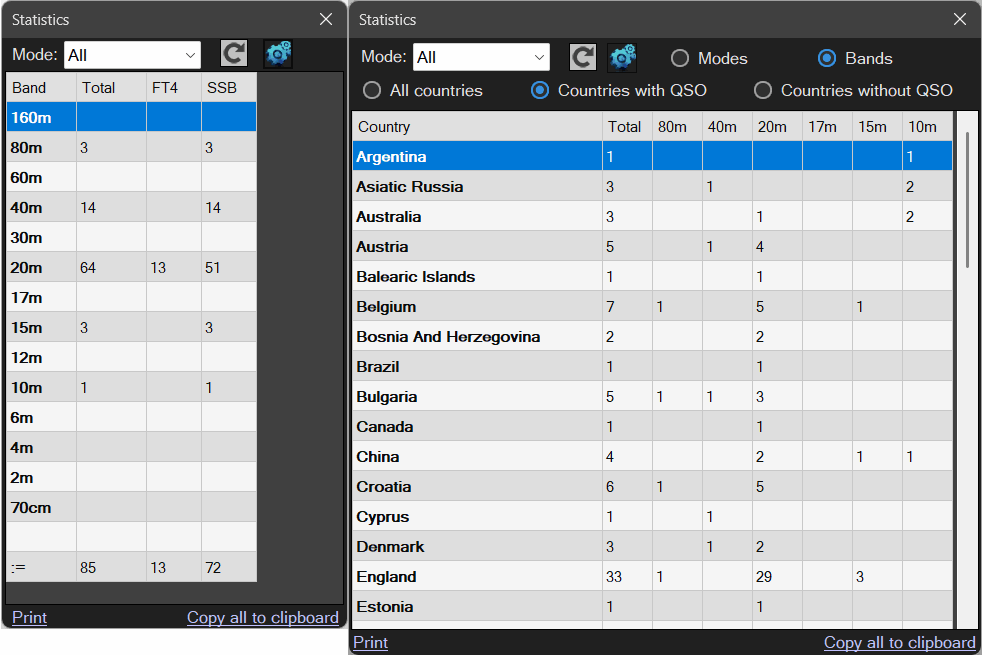
Here you can view statistics in separate windows.
Statistics are also available in the normal operating mode, but during contests they are often more important and useful.
From the menu, you can modify contest data as well as end the contest.
The same actions can also be performed in the main configuration window.
After many successful QSOs, it’s time to finish the contest:
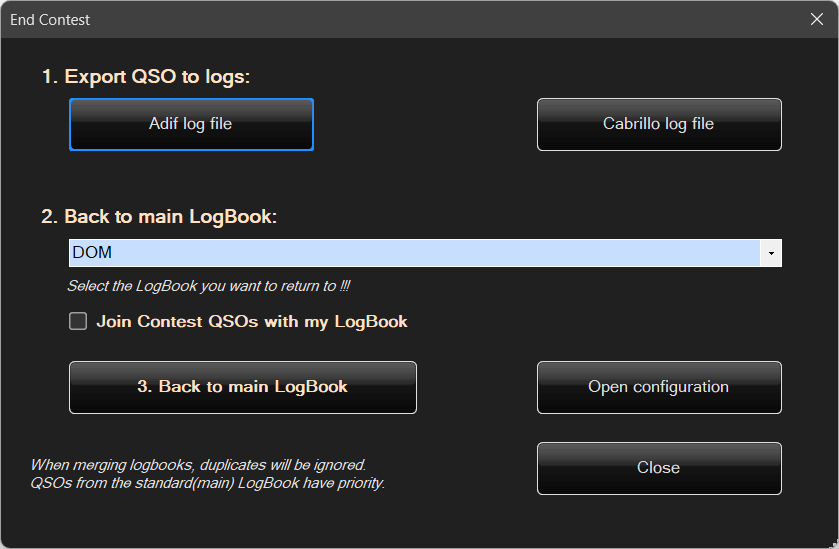
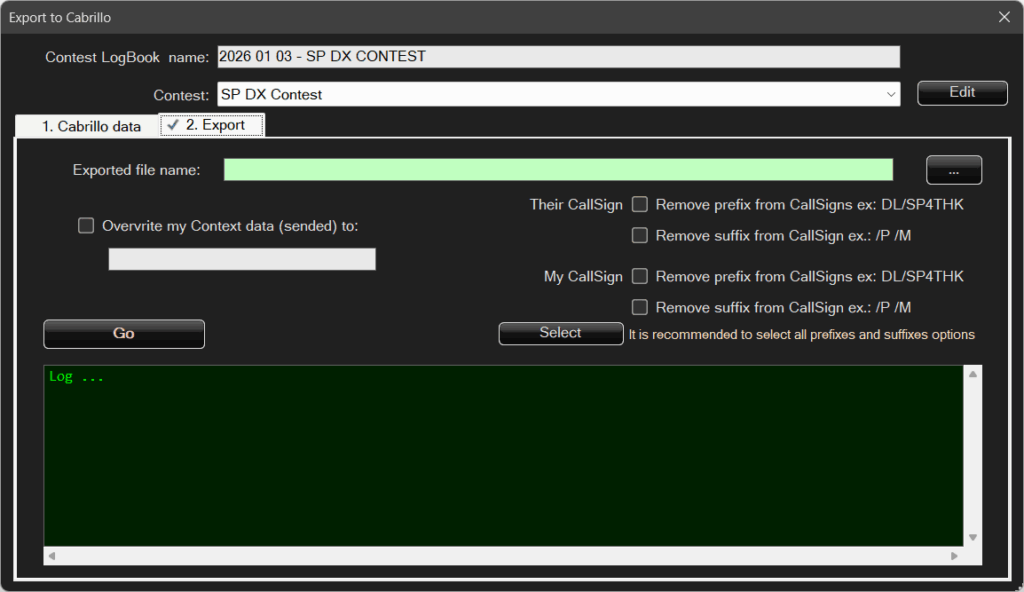
At the end of the contest, the logged QSOs must be exported and sent to the contest organizer.
The export can be performed in two formats:
- ADIF log – using the standard export window already described earlier.
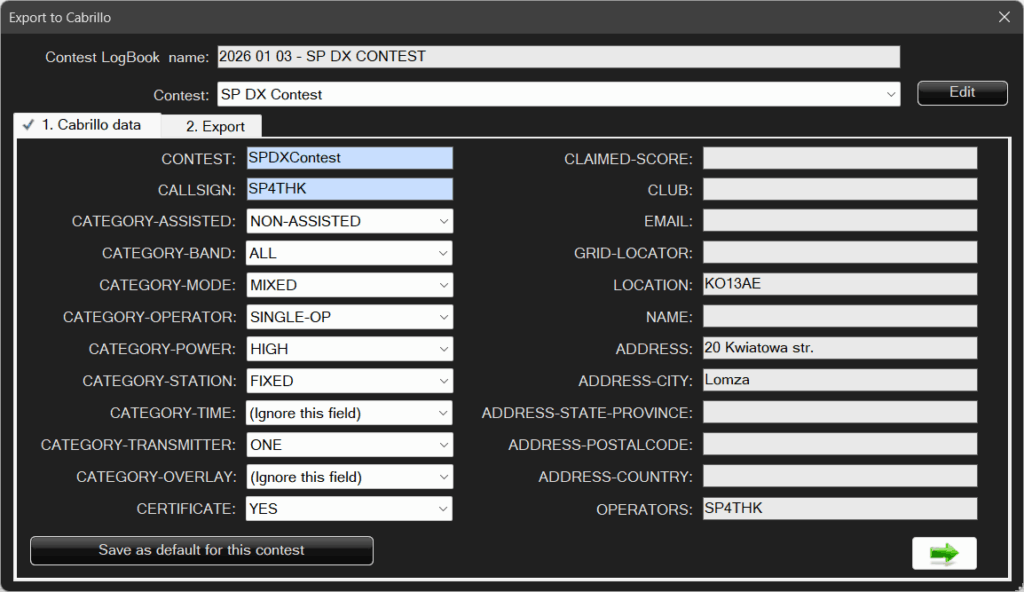
- Cabrillo log
In the Cabrillo format, there are many fields, most of which do not need to be filled in, but the option is available for more demanding contests that require additional information.
After completing the logs, you can return to the regular Logbook.
You can choose which Logbook to return to and decide whether to add the QSOs made during the contest to it.